QR Phishing Rose 146% in One Quarter. What to Check Before You Scan
A QR code hides its destination by design. How quishing bypasses email filters, and how to inspect a code before it reaches a browser.
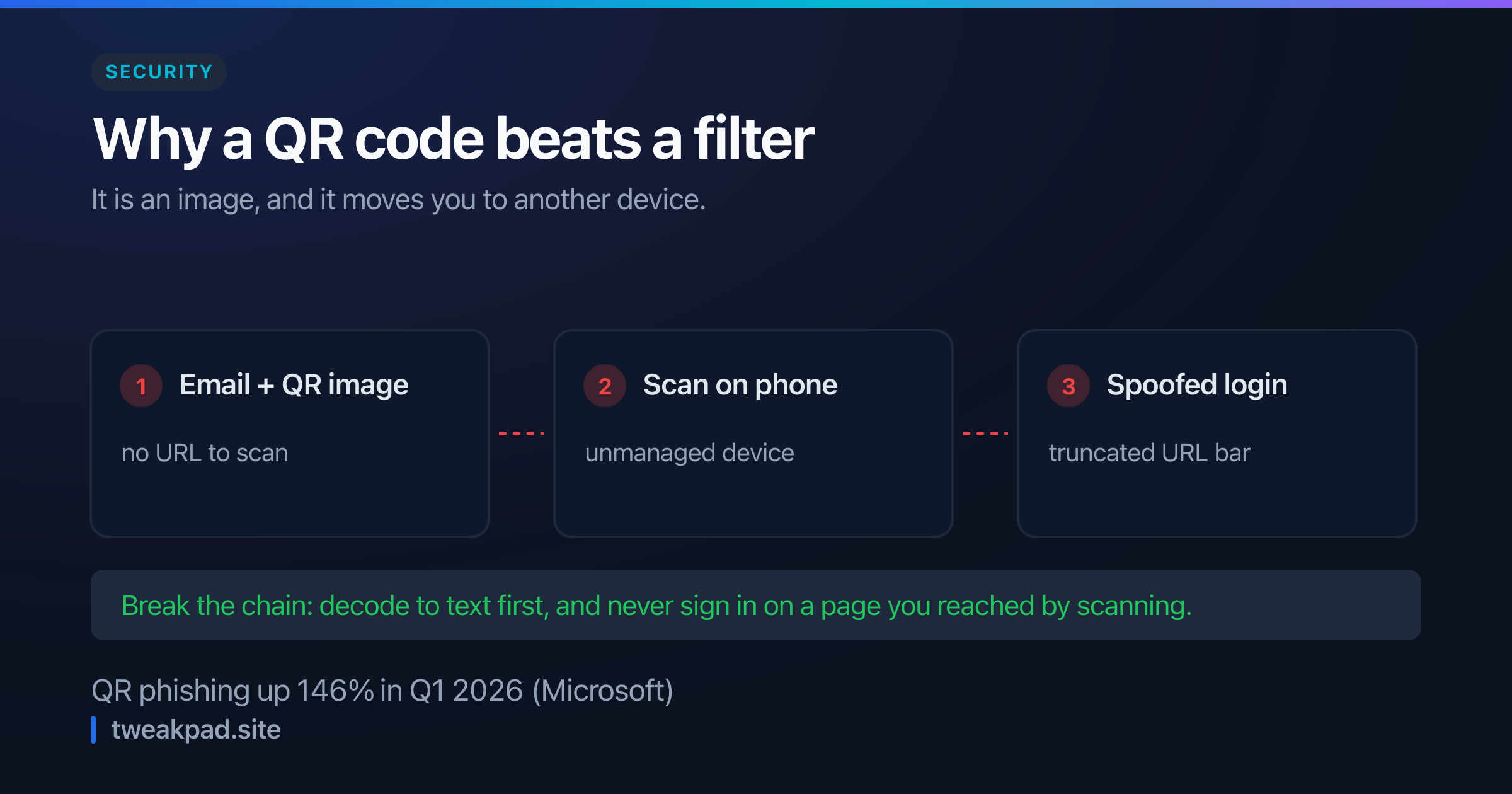
Table of contents
A link in an email can be inspected. Hover it, read the status bar, notice that the domain is wrong. A QR code offers none of that: it is an image, and its destination is unreadable until you have already gone there.
Attackers noticed. Microsoft reported QR-based phishing up 146% in the first quarter of 2026, against 8.3 billion phishing threats analysed. The technique has a name now, quishing, and its advantages are structural rather than clever.
Key takeaways#
- A QR code is an image, so link-scanning filters in email gateways have nothing to scan.
- Scanning usually moves the victim from a managed laptop to an unmanaged phone.
- The phone browser truncates the URL bar, hiding the part of the domain that would give it away.
- Physical sticker overlays turn a legitimate code into a hostile one at zero cost.
- Decoding a code to text before opening it removes almost all of the advantage.
Why do QR codes bypass email security?#
Because the filter reads text and the payload is pixels.
A secure email gateway extracts URLs from the body, checks them against reputation feeds, and rewrites them for click-time protection. A QR code is a PNG. There is no URL in the message to extract, so the standard control never engages. Some gateways now run OCR-style decoding on inline images, but coverage is inconsistent and attackers respond by embedding the code inside a PDF or an SVG.
The second advantage is the device switch. Corporate email opens on a managed laptop with filtering, EDR and a policy-controlled browser. The scan happens on a personal phone with none of that. The attack deliberately crosses from a monitored device to an unmonitored one, and most detection is on the wrong side of that line.
Third, mobile URL bars are short. A domain like microsoft-login.security-check.example.com displays as microsoft-login.securit… on a phone, which reads as legitimate at a glance. The deceptive part is the bit that gets truncated.
Where the codes turn up#
The email cases are the ones reported, and physical ones may be more effective.
A printed sticker placed over a legitimate QR code costs nothing and inherits all the trust of its surroundings. Parking meters, restaurant tables, event posters and package labels have all been used. Nobody inspects the sticker on a parking meter, because a parking meter is not a threat model most people carry around.
The common lure shapes are worth recognising: multi-factor re-enrolment ("scan to re-register your authenticator"), a package delivery fee, a payment or invoice, a shared document requiring sign-in, and a payroll or benefits update. All of them are routine, and all of them plausibly involve a phone.
How do I check a code before opening it?#
Decode it to text first. That single step converts the attack back into an ordinary phishing link, which people are much better at judging.
Most phone cameras now preview the URL before opening it, so read that preview rather than tapping through. On a desktop, decoding the image gives you the full destination with nothing truncated.
Then apply the checks you would apply to any link:
- Read the registrable domain, the part immediately left of the TLD. In
login.microsoft.evil.comthe real domain isevil.com. - Distrust shorteners. A
bit.lyin a QR code is a redirect you cannot see through, and there is rarely a legitimate reason for one when the code could carry the full URL. - Watch for punycode and homoglyphs. A domain starting
xn--renders as non-Latin characters that can imitate a familiar name. - Check the scheme. Codes can encode
tel:,sms:,mailto:and Wi-Fi credentials, not onlyhttps:. A code that silently joins you to a network is its own problem. - Never enter credentials on a page you reached by scanning. Navigate to the service yourself instead. This one rule defeats the entire category.
If you publish QR codes#
The defensive advice cuts both ways, because the practices that make a code trustworthy are also the ones that make yours believable.
Encode the final destination, not a shortener. Every redirect you add is a hop your users cannot verify and an opportunity for someone to argue that shorteners are normal.
Avoid third-party generators that wrap your URL in their own domain. A great many free generators encode a link to their server which forwards to yours. That gives them your scan analytics, makes your code indistinguishable from a redirect-based attack, and means your printed material breaks if their service does. The QR code generator encodes exactly the data you type, in your browser, with no redirect and no expiry.
Print the destination domain in text beside the code. It costs a line and gives a cautious person something to compare the preview against. And for anything printed at scale, use a higher error-correction level so a damaged or partially covered code fails to scan rather than scanning as something else.
What organisations can actually change#
Filtering images is an arms race, so the durable controls are elsewhere. Phishing-resistant multi-factor authentication, meaning passkeys or hardware keys, makes a harvested password worthless. That is the single highest-value change, because it breaks the payoff rather than the delivery.
After that: include QR codes in phishing simulations, since staff trained only on links have not been trained on this; and give people a reporting path that works from a phone, because the discovery happens on the device that cannot forward the original email.
The short version#
Quishing works because a code hides its destination, dodges text-based filtering, and moves the target onto an unmanaged device with a truncated URL bar. Decode before you open, read the registrable domain, and never sign in on a page you arrived at by scanning. If you publish codes, encode the real URL, skip the shortener, and print the domain next to it.
Tags
- Security
- Phishing
- Qr Codes
- Privacy