The Caret Range Changes Meaning Below Version 1.0
A caret range allows every future minor, unless the version starts with zero. It then narrows, and those dependencies quietly freeze.
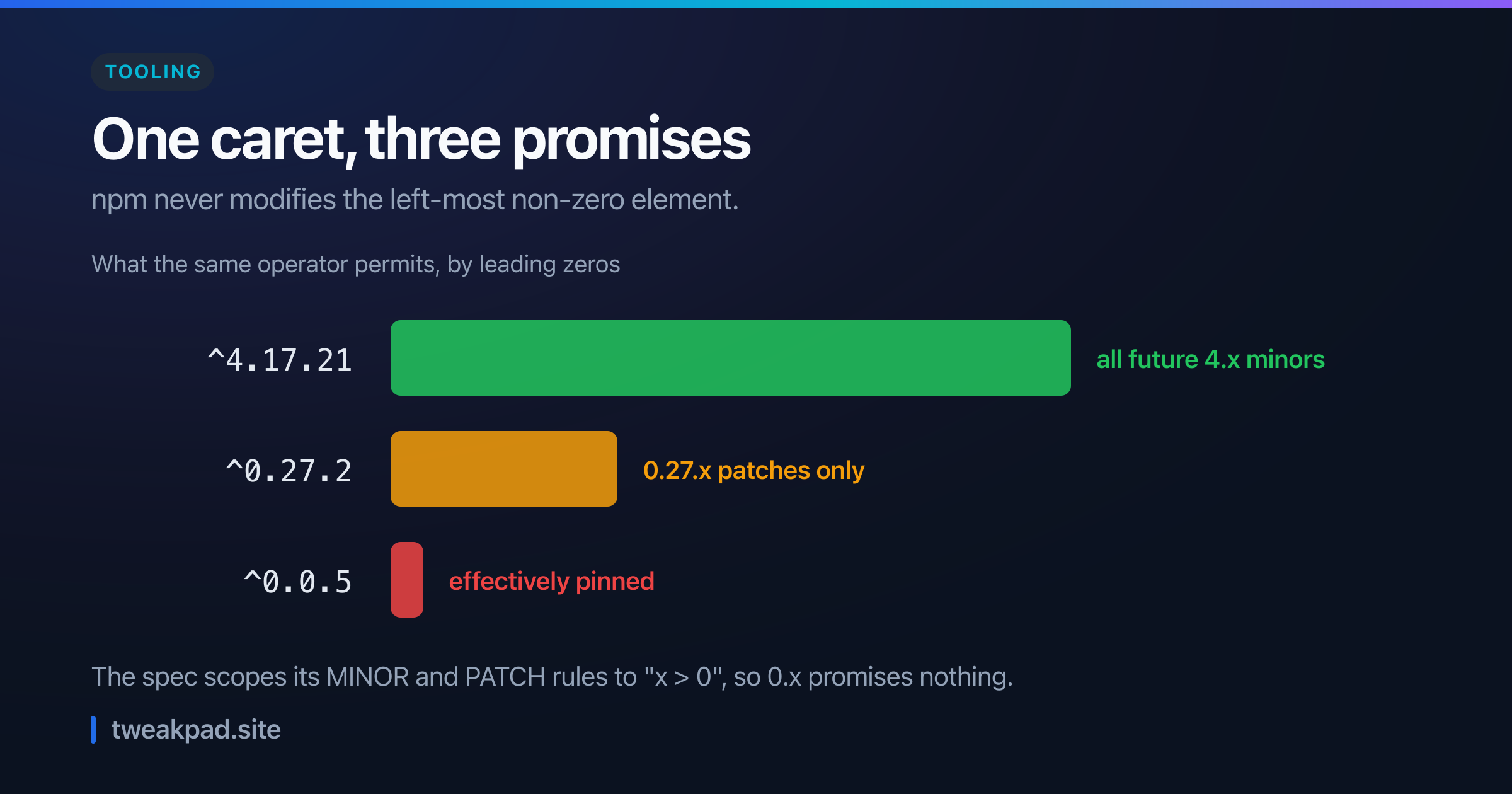
Table of contents
- Key takeaways
- What does a caret range actually allow?
- The three windows
- Why npm narrows it
- The spec scopes its own rules to x greater than zero
- A worked example
- The consequence worth caring about
- Where the tilde and the caret meet
- A table for the decision
- The failure mode, and how to detect it
- What lockfiles and exact pins get right
- Where this advice is wrong
- The short version
Install a package and npm writes a caret range into your package.json. Most people read that as "accept any compatible update". It means three different things depending on how many leading zeros the version has.
Above 1.0 it accepts every future minor. Below 1.0 it accepts patches only. Below 0.1 it accepts almost nothing.
Key takeaways#
^1.2.3allows anything under 2.0.0.^0.2.3allows only under 0.3.0.- npm never modifies the left-most non-zero element, which is the whole rule.
- The SemVer spec scopes its MINOR and PATCH rules to
x > 0, so 0.x promises nothing. - Dependencies on 0.x quietly stop receiving updates once upstream bumps the minor.
- A fix shipped as 0.28.0 never reaches a project pinned by
^0.27.2.
What does a caret range actually allow?#
It allows updates that do not change the left-most non-zero part of the version. For ^1.2.3 that part is the 1, so anything below 2.0.0 qualifies and you get every future minor. For ^0.2.3 the left-most non-zero part is the 2, so only 0.2.x qualifies. Same operator, different reach.
That one rule explains every case below.
The three windows#
npm documents the expansions directly, and reading them side by side is the fastest way to see it.
Above 1.0 the range is generous. The expansion of ^1.2.3 is >=1.2.3 <2.0.0-0. Every minor and patch release for the rest of the major line is fair game.
Drop one place and it tightens sharply. The expansion of ^0.2.3 is >=0.2.3 <0.3.0-0, which is patches only.
Drop another and there is nothing left. The expansion of ^0.0.3 is >=0.0.3 <0.0.4-0. The only version that satisfies it is the one you already have.
One more case goes the other way. The expansion of ^0.0.x is >=0.0.0 <0.1.0-0, which is wide open across every 0.0 release. A missing patch number changes the answer.
Why npm narrows it#
This is not a quirk of the parser. npm is compensating for real behaviour in the ecosystem, and the docs say so.
Many authors treat a
0.xversion as if thexwere the major "breaking-change" indicator.
That is an accurate observation about practice. A library at 0.27 that ships 0.28 has usually broken something. Treating that as a routine minor update would break installs.
So npm applies one consistent rule. Caret ranges "do not modify the left-most non-zero element". That produces generous behaviour above 1.0 and cautious behaviour below it, with no special casing in your manifest.
The design is defensible. The problem is that one character now encodes three policies, and nothing in the file says which applies.
The spec scopes its own rules to x greater than zero#
Here is the detail that most explanations leave out, and it is sitting in the numbered rules on semver.org.
Rule 6 defines patch releases as follows.
Patch version Z (x.y.Z | x > 0) MUST be incremented if only backward compatible bug fixes are introduced.
Rule 7 defines minor releases the same way, also qualified with x > 0. Read those parenthetical conditions carefully. They exclude every 0.x version from the rules people quote as the definition of semver.
Rule 4 says what applies instead.
Major version zero (0.y.z) is for initial development. Anything MAY change at any time. The public API SHOULD NOT be considered stable.
So below 1.0 the specification makes no compatibility promise at all. npm's cautious caret is not paranoia. It fills a gap the spec left open on purpose.
A worked example#
Take a project with 40 direct dependencies, and say 12 of them sit at 0.x. That proportion is unremarkable in the JavaScript ecosystem.
Those 12 were installed with a caret, so they look identical to the other 28 in your manifest. They behave completely differently, and the manifest gives you no way to tell them apart.
Now upstream ships a fix. A package you depend on at ^0.27.2 releases 0.28.0 containing it. Your range is >=0.27.2 <0.28.0-0, so 0.28.0 sits outside it by one patch place.
Run npm update and nothing happens. No error, no warning, no output mentioning that package. The command reports success, because from its point of view every range is satisfied.
Count the outcome. Twenty-eight dependencies received their updates. Twelve did not, and will not, until somebody edits the manifest by hand. Those twelve are frozen at a minor line chosen on the day they were installed.
The consequence worth caring about#
Most stale dependencies are harmless. This one has a sharper edge, because of how small projects ship fixes.
A library at 0.x often ships a security fix as a minor bump rather than a patch. Those authors use the minor position as their breaking-change indicator. That is exactly the release your caret range excludes.
So the mechanism inverts what you want. Your 1.x dependencies auto-receive fixes shipped as minors. Your 0.x dependencies do not. Those are typically the smaller, less-audited packages where you would most want an automatic update.
Audit tooling still sees the problem, which is the saving grace. A vulnerability scanner reads your installed tree rather than your ranges. It flags the old version even though npm update will not fix it.
Where the tilde and the caret meet#
The other operator is worth putting beside this, because the two converge in a way that surprises people.
A tilde is documented as patch-level. The expansion of ~1.2.3 is >=1.2.3 <1.3.0-0, so you get patches and nothing more.
Now compare that with the 0.x caret. The expansion of ^0.2.3 is >=0.2.3 <0.3.0-0, which is the same shape.
So below 1.0 the caret and the tilde do the same job. Writing ^0.2.3 or ~0.2.3 gives you an identical window, and the operator you chose stops carrying any meaning.
That has a tidy consequence for reading a manifest. Above 1.0 the two operators express a real choice between minors and patches. Below 1.0 they express the same policy in two spellings.
Which is why the caret being the default matters. npm writes it for you, it looks like the permissive option, and on a 0.x dependency it is the restrictive one. Nobody chose that, and nothing in the file records it as a decision.
A table for the decision#
Ranges are a policy choice, so pick from the outcome you want rather than from the default.
| Situation | Range to write | Why |
|---|---|---|
| Stable dependency at 1.x or above | ^1.2.3 | The caret already means what you expect |
| Dependency at 0.x you want patched | ^0.27.2 | Already patch-only, so the default is fine |
| Dependency at 0.x you want to track | >=0.27.2 <1.0.0 | Say it explicitly, since the caret will not |
| Anything security-sensitive | Exact version plus a bot | Automate the bump rather than infer it |
| Your own published package | Reach 1.0.0 | It is the only way consumers get minors |
The last row is the one library authors control. Staying on 0.x forever means every consumer's caret is silently a tilde, and your minor releases reach almost nobody automatically.
Row four reflects how the ecosystem actually works now. An update bot proposing a pull request is more honest than a range operator quietly deciding policy on your behalf.
The failure mode, and how to detect it#
The failure is silence. npm update exits zero, your lockfile does not change for those packages, and nothing distinguishes a satisfied range from a stuck one.
So ask a different question. Run npm outdated, which compares installed versions against the latest published version rather than against your range. Anything where Wanted equals Current but Latest is higher is a dependency your range has frozen.
That column comparison is the whole diagnostic. Wanted is what your range permits, Latest is what exists, and a gap between them is a policy you did not knowingly choose.
Then check how much of your tree it covers. Count how many direct dependencies have a version starting with zero, since that number is the size of your blind spot. On most Node projects it is larger than people guess.
Finally, wire the check into CI so it does not depend on somebody remembering. A scheduled job running npm outdated and failing on a threshold turns a silent condition into a visible one, in the same spirit as the pipeline checks in our GitHub Actions CI guide.
What lockfiles and exact pins get right#
Ranges are only half the system, and the other half deserves credit before I criticise anything.
Your lockfile makes installs reproducible regardless of what the range says. Everyone on the team and every CI run gets identical versions, because the lockfile records exact resolutions rather than intentions. The range only matters when something deliberately re-resolves it.
Exact pinning goes further and removes the ambiguity entirely. Writing 0.27.2 with no operator means one version, with no rule to remember and no difference in behaviour between a 0.x and a 1.x dependency.
The cost is that you now own every upgrade. Nothing arrives on its own, and without an update bot a pinned project drifts further behind than a ranged one. That is the trade: ranges automate the easy updates and hide their own policy, and pins surface the policy and automate nothing.
Where this advice is wrong#
The caret's caution is usually correct. A 0.x package that ships 0.28.0 probably did break something, so a range that declines it has protected you. My complaint is that the protection is invisible, not that it is wrong.
Lockfiles make this less urgent than it sounds. Your builds are already reproducible, so nothing changes underneath you. The problem is confined to what happens when you deliberately ask for updates, which is a narrower failure than "dependencies are broken".
Update bots make the whole question mostly obsolete. If a bot opens pull requests against the latest published version, it ignores your ranges entirely and the caret's behaviour stops mattering. Where teams have that running, this article describes a curiosity rather than a risk, and the effort belongs on reviewing those pull requests instead.
The short version#
A caret range means "do not change the left-most non-zero element", so it permits every future minor above 1.0, patches only for 0.x, and effectively nothing for 0.0.x. The SemVer specification supports that caution by scoping its MINOR and PATCH rules to x > 0 and declaring that below 1.0 "anything MAY change at any time". The practical consequence is that 0.x dependencies quietly stop updating once upstream bumps the minor, including when the bump carries a fix. So run npm outdated and compare Wanted against Latest, count how many of your direct dependencies start with a zero, and write the range you actually mean when the default does not say it.
Tags
- Npm
- Semver
- Dependencies
- Tooling